Translate images. Keep the picture.
Screenshots, menus, signs and photos come back as the same image, with their text in any of 173 languages.
- 173 languages
- 7 image formats
- Up to 10 MB
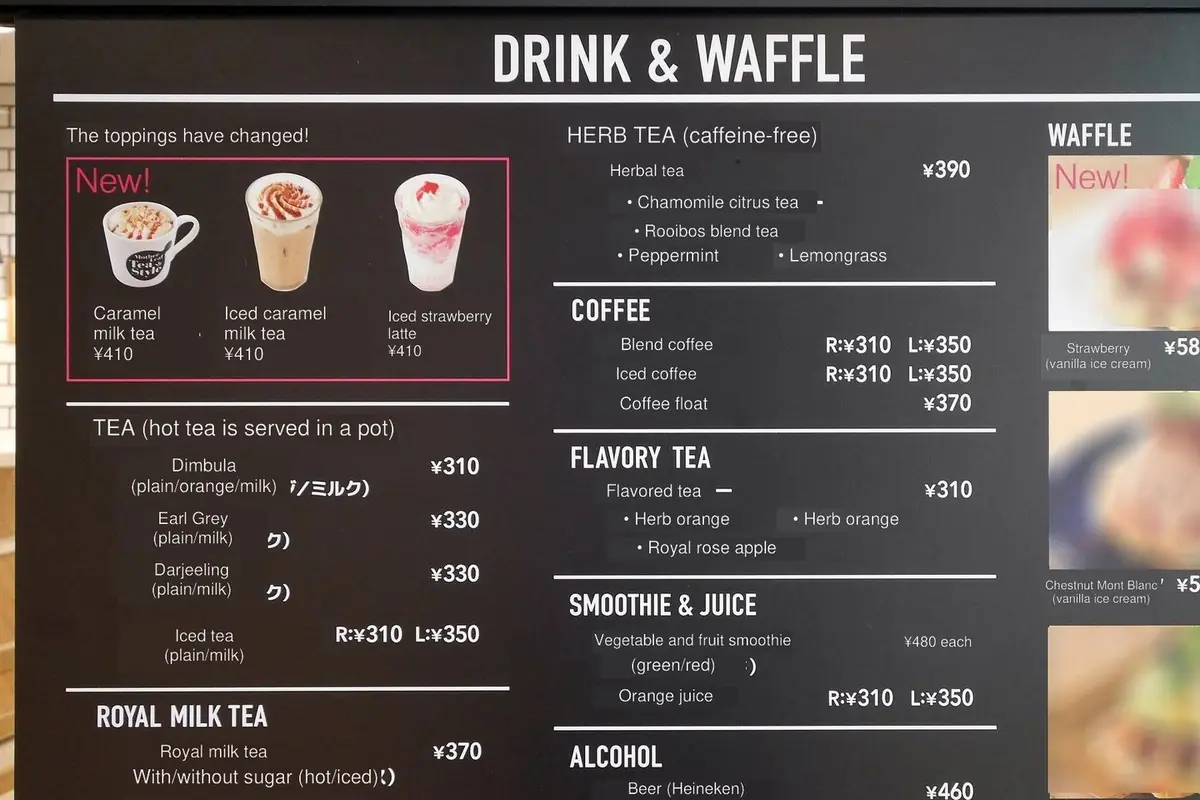
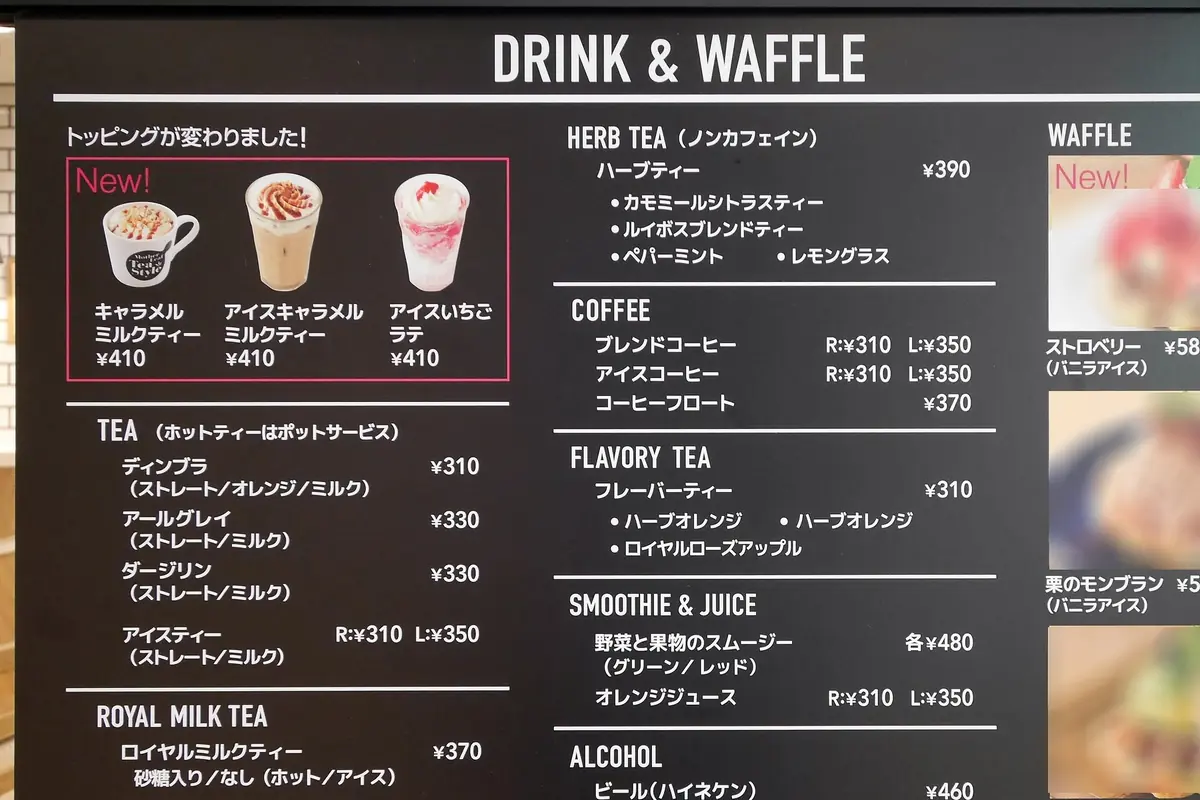
Photo: 運転太郎, CC BY 3.0, via Wikimedia Commons. Translated by Translate24.
Auto detect language
Your translation will appear here.
Auto detect language
Your translated text will appear here.
Auto detect language
Your translated image will appear here.
Auto detect language
Your translated document will appear here.
Free
100% free, with plenty for getting started and occasional use
What's included:
- 5,000 word credits daily
- 173 supported languages
- Text translation
- Image translation
- Document translationSupports DOCX, PDF, PPTX and 40+ file types
- Keep your document layoutDownloads are a watermarked PDF
- Chrome extensionTranslate text and images on any website
- 1 GB storage
Standard
Great value for everyday translation
Everything in Free, plus:
- 1,000,000 word credits monthlyAbout 570 PDF pages
- Download translated filesIn their own format, without a watermark
- 10 GB storage
Pro
Most popularThe best value for heavy personal use
Everything in Standard, plus:
- 10,000,000 word credits monthlyAbout 5,700 PDF pages
- 100 GB storage
Business
Built for serious business workloads
Everything in Pro, plus:
- 50,000,000 word credits monthlyAbout 29,000 PDF pages
- 500 GB storage
Still need more?
For enterprise volumes, our sales team will put together custom pricing for you.
Secure checkout with Paddle
How word credits are calculated
Every translation uses your word credits. Text, images and documents all share them.
Text as output
The translation comes back as plain text you can copy or edit.
| Input | Output | Word credits used | Example |
|---|---|---|---|
| Text | Text | 1 word credit per source word | 1,000-word textuses 1,000 word credits |
| DocumentDOCX, PDF, PPTX and 40+ file types | Text | 1 word credit per source word | 1,000-word PDFuses 1,000 word credits |
| Image | Text | 1 word credit per source word found | Image with 50 wordsuses 50 word credits |
A file as output
The translation comes back as an image or document with its layout kept.
| Input | Output | Word credits used | Example |
|---|---|---|---|
| Image | Image | 1,000 word credits, plus 1 word credit per source word found | Image with 50 wordsuses 1,050 word credits |
| DocumentFast | Same file type | 1,000 word credits, plus 2 word credits per source word | 1,000-word DOCXuses 3,000 word credits |
| DocumentQuality | Same file type | 1,000 word credits, plus 4 word credits per source word | 1,000-word DOCXuses 5,000 word credits |
| PDFFast | 1,000 word credits, plus 5 word credits per source word | 1,000-word PDFuses 6,000 word credits | |
| PDFQuality | 1,000 word credits, plus 10 word credits per source word | 1,000-word PDFuses 11,000 word credits |
- Numbers and punctuation are free, and words are counted the way each language separates them.
- Credits are held while a translation runs and returned if it fails.
- On the Free plan, a translated document downloads as a watermarked PDF. Subscribe to download the file itself.
Any picture with words in it
On a trip, at work or at home: point it at the text you can’t read.
Three steps, a few seconds
- Choose, drop or paste an image
PNG, JPEG, WebP and 4 more formats, up to 10 MB. On a phone, take a photo.
- Pick a language
Translate24 finds the text in the picture and translates it into any of 173 languages.
- Get the same picture back
The translation is drawn where the text was. Download the picture, or copy the text.
Before you start
What kinds of images work best?
Clear photos, screenshots and scans with printed text, such as menus, signs, notices, labels and app screens. Handwriting and very decorative lettering are harder to read.
Which languages does it translate?
It finds the language of the text in the picture by itself, and translates it into any of 173 languages.
Can I copy the translated text?
Yes. Under the translated picture, the text it found is listed line by line with its translation, and one button copies all of it.
How many word credits does an image use?
1,000 word credits to redraw the picture, plus one for each word found in it. A free account gets 5,000 word credits a day for text, images and documents.
Do you keep my images?
Image translations expire after seven days, and so do the images that guests and free accounts upload. See File privacy.